You just replaced the throttle body, expecting a smooth, responsive gas pedal and instead, you get a laggy, delayed throttle response. That hesitation when you press the accelerator can be frustrating and even dangerous in traffic. Fixing delayed throttle response after throttle body replacement matters because it's one of the most common post-replacement issues mechanics and DIYers run into, and it usually comes down to a missing relearn procedure, an electrical issue, or a part compatibility problem that's easy to overlook.
Why Does Throttle Response Feel Delayed After Replacing the Throttle Body?
The throttle body controls how much air enters the engine when you press the gas pedal. Modern vehicles use an electronic throttle body (ETB) with a motor and position sensors instead of a mechanical cable. When you install a new one, the engine control module (ECM) doesn't automatically recognize it. The ECM still has old calibration data stored from the previous throttle body, and that mismatch causes hesitation, lag, or a delayed reaction to pedal input.
Think of it like swapping a keyboard on your computer without letting the system detect new hardware. The inputs might work, but they won't feel right until the system recalibrates.
Several specific causes can trigger this delay:
- Missing throttle relearn procedure The most common reason. The ECM needs to relearn the new throttle body's closed and wide-open positions.
- Dirty or corroded electrical connectors Even a small amount of corrosion on the throttle body connector can cause intermittent signal delays.
- Incompatible replacement part Aftermarket throttle bodies sometimes don't match the OEM sensor output range exactly.
- Faulty TPS (Throttle Position Sensor) If the replacement came with a bad or miscalibrated sensor, the ECM receives incorrect position data.
- PCM or ECM software needs updating Some vehicles require a dealer-level software flash after throttle body replacement.
- Vacuum leaks around the throttle body A poorly seated gasket or loose clamp can let unmetered air in, confusing the ECM's fuel calculations.
If you're seeing acceleration lag that matches common throttle body failure symptoms, the problem may not be fully resolved yet even with a new part installed.
How Do You Perform the Throttle Body Relearn Procedure?
The relearn (or relearning) procedure resets the ECM's understanding of the throttle body's operating range. Without it, the ECM clings to old data, and that's where the delay comes from. The exact procedure varies by vehicle make and model, but here are the most common methods:
Manual Key-On Relearn (Works on Many GM, Ford, and Chrysler Vehicles)
- Turn the ignition key to the "ON" position without starting the engine. Wait for all dashboard lights to finish their self-check cycle.
- Slowly press the gas pedal all the way to the floor over about 10 seconds. Hold it down for 2–3 seconds.
- Slowly release the gas pedal over another 10 seconds.
- Turn the key to "OFF" and wait 10 seconds.
- Start the engine and let it idle for at least 3 minutes without touching the gas pedal. The idle may surge or drop during this period that's normal as the ECM adjusts.
- Take the vehicle for a moderate drive, accelerating gently through several gear shifts to help the ECM complete its adaptive learning.
OBD-II Scan Tool Relearn
Many newer vehicles require a scan tool to complete the relearn. A basic OBD-II scanner won't do this you need one with throttle body relearn capability (like an Autel, Launch, or dealer-level tool). The scan tool communicates directly with the ECM to reset throttle adaptation values. If you don't own one, most auto parts stores will run this for free or for a small fee.
Battery Disconnect Method (Backup Option)
- Disconnect the negative battery terminal.
- Wait 15–30 minutes to allow the ECM capacitors to fully discharge and clear adaptive memory.
- Reconnect the battery and start the engine.
- Let it idle undisturbed for 10–15 minutes, then drive normally for 20–30 minutes to allow relearning.
This method doesn't work on every vehicle, and it will erase other adaptive data like radio presets and emissions monitors, so use it as a backup.
For a deeper walkthrough on the full diagnostic process, see our step-by-step diagnostic guide for electronic throttle body delayed response.
What If the Relearn Doesn't Fix the Delayed Throttle Response?
If you've done the relearn and the throttle still feels laggy, the issue runs deeper. Here's where to focus next:
Check the Electrical Connections
Unplug the throttle body connector and inspect both sides. Look for green or white corrosion, bent pins, or pins that sit deeper than others. Spray electrical contact cleaner on both the plug and the receptacle. Reconnect firmly until you hear or feel a click.
Inspect for Vacuum Leaks
With the engine idling, listen for a hissing sound near the throttle body. You can also spray carburetor cleaner around the throttle body gasket and mounting surface. If the idle changes when you spray a specific spot, you've found a leak. Replace the gasket or retighten the mounting bolts.
Verify the Replacement Part
Cross-reference the part number on your replacement throttle body with the OEM number for your exact year, make, model, and engine. Even a single-digit difference in the part number can mean different sensor calibrations. Some aftermarket throttle bodies are known to have slightly different resistance values in their TPS, which can cause persistent lag.
Scan for Trouble Codes
Even if the check engine light isn't on, there may be pending or stored codes pointing to throttle-related issues. Common codes to watch for include P0121, P0122, P0123, P2111, and P2112. You can learn more about what these codes mean in our OBD2 codes related to throttle body malfunction and rough idle reference.
Check the Accelerator Pedal Position Sensor (APPS)
The throttle body isn't the only player here. The accelerator pedal has its own position sensor that tells the ECM how far you're pressing. If this sensor is worn or sending erratic data, the new throttle body will respond slowly or inconsistently because it's receiving bad input. Use a scan tool to watch live APPS data while pressing the pedal values should climb smoothly and steadily.
Common Mistakes to Avoid
- Skipping the relearn entirely. This is the number one mistake. Even experienced mechanics forget this step when they're in a hurry.
- Clearing codes with a cheap scanner and calling it done. Erasing codes without performing a relearn just hides the symptom temporarily.
- Reusing a damaged gasket. If the old throttle body gasket is compressed or torn, it won't seal properly on the new part.
- Not checking for software updates. Some vehicles (especially GM and Ford) have TSBs (Technical Service Bulletins) that require an ECM software update after throttle body replacement. Check NHTSA's recall database for your vehicle.
- Over-tightening throttle body bolts. This can warp the mounting surface and create a vacuum leak that didn't exist before.
- Ignoring the intake air boot. If you removed the intake hose to access the throttle body and didn't reconnect it tightly, unmetered air gets past the MAF sensor, causing hesitation.
When Should You Take It to a Professional?
If you've performed the relearn, checked all connections, verified the part number, and the throttle response is still delayed, it's time for professional diagnosis. A shop with dealer-level scan tools can run a full throttle body adaptation, check for ECM software updates, and test sensor signals with an oscilloscope tools most DIYers don't have access to.
Also consider professional help if you notice any of these alongside the delayed response:
- Engine stalling at idle or during deceleration
- Check engine light that returns immediately after clearing
- Unusual engine surging or hunting at idle
- Reduced power mode or "limp mode" activation
Quick Checklist: Fixing Delayed Throttle Response After Throttle Body Replacement
- ✅ Complete the throttle body relearn procedure for your specific vehicle
- ✅ Inspect and clean the electrical connector at the throttle body
- ✅ Check for vacuum leaks around the throttle body gasket and intake
- ✅ Verify the replacement part number matches your vehicle's OEM spec
- ✅ Scan for pending and stored OBD-II trouble codes
- ✅ Test the accelerator pedal position sensor with live data
- ✅ Reconnect and secure the intake air boot/hose
- ✅ Drive the vehicle for 20–30 minutes of mixed driving to complete adaptive learning
- ✅ If lag persists, check for ECM software updates or TSBs for your vehicle
Tip: If the throttle feels better after a relearn but still isn't perfect, give it time. Some ECMs need 50–100 miles of varied driving (city, highway, stop-and-go) to fully adapt to a new throttle body. Monitor live data with a scan tool during this period to confirm sensor values are stabilizing within spec.
 Throttle Body Cleaning vs Replacement: Fix Sticky Throttle Response Fast
 Symptoms of a Failing Throttle Body Causing Acceleration Lag
 Electronic Throttle Body Delayed Response Diagnostic Steps and Fix Guide
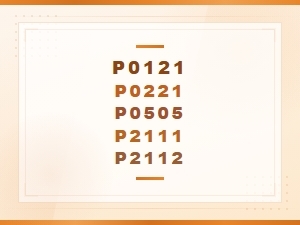 Obd2 Codes for Throttle Body Issues & Rough Idle
 Fix Delayed Response: Best Replacement Throttle Sensors
 Step-By-Step Throttle Body Cleaning for Intermittent Delay